


What Are the 2026 Top Automation Computer Types?
The 2026 automation landscape will be shaped by computers that connect sensing, control, analytics, and secure industrial communication. This introduction examines the leading Automation Computer types expected to support modern factories, warehouses, utilities, and process plants. Key categories include rugged edge computers, industrial panel PCs, embedded controllers, machine vision systems, and PLC-integrated platforms. Each type serves a different operational need.
A rugged edge computer may process sensor data beside a production line, reducing delays caused by distant cloud servers. An industrial panel PC can display alarms, trends, and maintenance instructions through a bright touchscreen. Vision computers inspect labels, welds, or packaging defects at high speed. Reliability remains central. Engineers must evaluate temperature tolerance, vibration resistance, lifecycle support, cybersecurity, expansion options, and compatibility with existing protocols.
This guide uses practical selection criteria rather than marketing claims. It considers how systems perform during shift changes, network interruptions, maintenance visits, and gradual equipment upgrades. That matters. A powerful processor is not automatically the best industrial choice. Not always.
Manufacturer specifications, independent testing, deployment experience, and recognized industrial standards should inform every decision. However, no 2026 ranking can remain perfect for every facility. Budgets differ. Workloads evolve. Reality is messier.
Some facilities may favor centralized control, while others need distributed intelligence at the machine level. The most suitable Automation Computer will balance performance, durability, integration, security, and long-term serviceability. This comparison aims to clarify those trade-offs and encourage careful evaluation before investment.
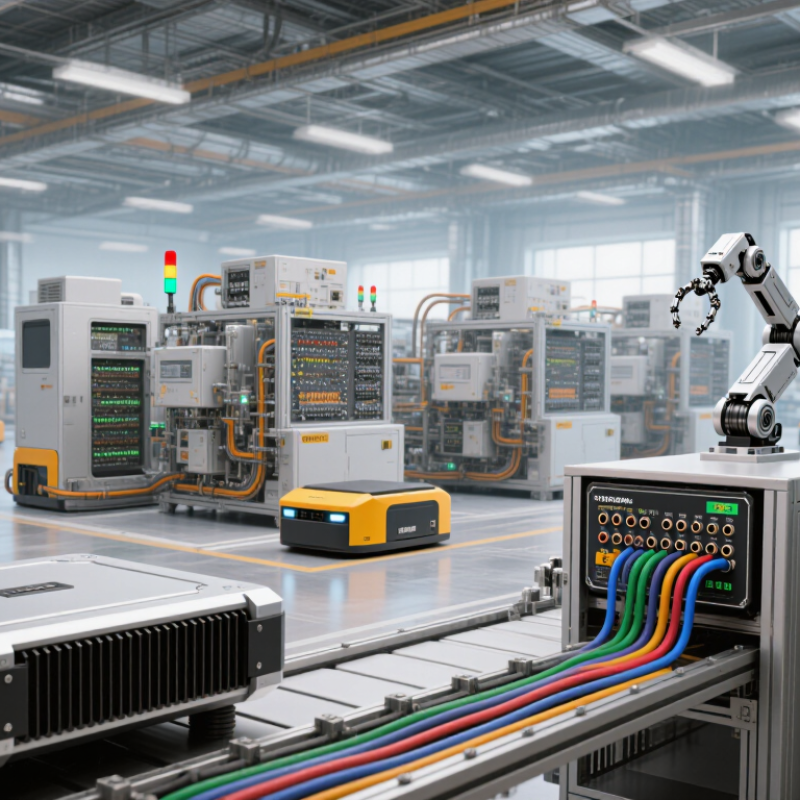
What Defines an Automation Computer in 2026?
What Are the 2026 Top Automation Computer Types?
What Defines an Automation Computer in 2026?
An automation computer in 2026 is more than a small box running control software. It connects sensors, machines, operators, and analytical tools with predictable timing. In a factory test, a delayed command of 40 milliseconds can affect a robotic arm’s position. Reliable systems therefore combine real-time processing with carefully managed computing resources.
Modern automation computers often include edge intelligence, industrial networking, and strong cybersecurity controls. They can process camera images locally instead of sending every frame to a remote server. This reduces latency and protects sensitive production data. Support for common industrial protocols also matters, because facilities rarely replace every existing controller at once. A practical computer should communicate with older equipment without creating fragile workarounds.
Physical design remains important. Dust-resistant enclosures, wide temperature ranges, vibration protection, and fanless cooling can determine service life. Field engineers also look for accessible storage, diagnostic indicators, and secure remote maintenance. These details save time beside a noisy production line. Redundant power options may protect critical processes, but they also increase cost and configuration effort. No design is perfect.
The most dependable systems provide signed software updates, event logs, permission controls, and clear recovery procedures. Human oversight still matters when an algorithm detects an unusual pattern. Automation should assist judgment, not hide uncertainty. In practice, choosing the right computer depends on cycle time, environmental conditions, network requirements, and the consequences of failure. That assessment is often less exciting than new artificial intelligence features, but it is usually more useful.

How Industrial Automation Computers Are Classified
Industrial Automation Computers are classified by where they work, how they are built, and what they control. A panel PC mounts inside or beside a control cabinet, often with a touchscreen for operators. A box computer sits on a machine or DIN rail and connects to sensors, drives, and network devices. Rack-mounted systems suit larger control rooms, where technicians need access to several computing modules.
Physical conditions matter. A computer near a cutting line may face dust, vibration, and temperature swings. A unit in a clean control room may need less protection, but more expansion options.
Fanless designs reduce moving parts and help limit dust intake. They are not magic, though: heat still needs a path out. That detail is easy to overlook.
Computers can also be grouped by workload. PLC-oriented systems handle predictable control tasks, while edge computers collect and analyze machine data close to the equipment. Some installations combine both roles, which makes categories less tidy than a chart suggests. Check processor capacity, connection types, mounting space, and environmental limits against the actual task. A label alone tells you little. A careful site check often reveals the better fit.
Which Computer Types Power Smart Factories and Robotics?
What Are the 2026 Top Automation Computer Types?
Smart factories will rely on several computer types, not one universal machine. Industrial PCs will manage production lines, motion control, and machine-vision tasks. Rugged embedded computers will sit beside robots, conveyors, and sensors. They must tolerate vibration, dust, heat, and unstable network conditions. Small edge computers will process data near the machine. This reduces delays when robotic arms detect a misplaced component.
Artificial intelligence will increase demand for edge computers with dedicated graphics or neural processors. These systems can inspect welds, predict tool wear, and adjust robot paths locally. The International Federation of Robotics reported 541,302 industrial robots installed worldwide in 2023. That installed base creates constant demand for reliable control and computing hardware. Deloitte’s 2024 Smart Manufacturing and Operations Survey found that 86% of leaders view smart manufacturing as a key competitiveness driver.
Control remains essential. Programmable automation computers will coordinate sensors, safety functions, drives, and supervisory software. Central servers will still store production histories and train larger models. However, sending every video frame to the cloud is often impractical. Latency, bandwidth costs, and factory privacy require local processing. The categories are not perfectly separate. A modern industrial PC may include real-time control, vision acceleration, and cybersecurity features. Faster hardware alone cannot repair poor sensor placement or weak maintenance routines. That is an uncomfortable but useful lesson. Reliability comes from the whole system.
What Are the 2026 Top Automation Computer Types?
Typical strengths of computer types used in smart factories and robotics. Ratings are qualitative (1 = limited, 5 = strong), based on common deployment roles—not standardized performance benchmarks. Actual capabilities vary by configuration and environment.
PLCs commonly handle deterministic machine control, while industrial PCs support broader computing and visualization tasks. Edge computers and embedded systems often process data near equipment; GPU-equipped systems are suited to demanding AI inference and robotics workloads.
How Edge, Embedded, and Vision Systems Support Automation
Edge, embedded, and vision systems give automation a practical way to sense, decide, and act near the production line. Edge computers process sensor data locally, reducing delays when a conveyor belt stops or a temperature rises. They can also keep essential operations running during network interruptions. The trade-off is real: local systems still need careful updates, security controls, and thermal management. Small fanless units may struggle inside hot, dusty cabinets.
Embedded computers handle dedicated tasks, such as controlling a motor or reading a pressure sensor. Machine-vision systems add cameras and processors to inspect welds, count parts, and detect surface defects. They need consistent lighting and well-chosen camera angles. A shiny metal surface can confuse detection. It happens. The International Federation of Robotics reported 4.28 million industrial robots operating worldwide in 2023, highlighting the scale of systems that require dependable computing support (World Robotics 2024). For market context, IDC forecast worldwide edge-computing spending would reach $232 billion in 2024, up 15.4% from 2023 (Worldwide Edge Spending Guide, 2024). These figures describe broader automation and edge investment, not computer sales alone. The right design depends on response time, image workload, operating conditions, and how often technicians can reach the equipment. A powerful processor is not always the better choice.
What Are the 2026 Top Automation Computer Types? - How Edge, Embedded, and Vision Systems Support Automation
| Automation Computer Type | Primary Role | Typical Processing Profile | Typical Memory | Typical Response Requirement | Common Industrial Interfaces | Typical Power Profile | Best-Fit Automation Tasks |
|---|---|---|---|---|---|---|---|
| Edge Automation Computer | Processes data near machines, sensors, and production lines instead of sending all data to a remote server. | Multi-core CPU; optional accelerator for analytics or artificial-intelligence inference; local storage for buffering. | Approximately 8–64 GB RAM for common industrial deployments. | Milliseconds to seconds, depending on the control and analytics workload. | Industrial Ethernet, Ethernet/IP-style networks, OPC UA, MQTT, serial ports, USB, and fieldbus gateways. | Typically about 15–150 W, depending on processor, storage, and accelerator configuration. | Predictive maintenance, production monitoring, local data aggregation, anomaly detection, and cloud-load reduction. |
| Embedded Automation Computer | Provides dedicated computing inside a machine, controller, robot, gateway, or operator device. | Fixed-function or application-specific processing using a system-on-module, microprocessor, or microcontroller. | Kilobytes to several gigabytes, selected according to the operating system and application. | Microseconds to milliseconds for deterministic device-level functions. | GPIO, analog and digital I/O, CAN, RS-232/RS-485, SPI, I²C, Ethernet, and wireless links. | Typically below 20 W; many controller-class designs operate below 5 W. | Motor control, robot subsystems, sensor gateways, compact machine controllers, and real-time device functions. |
| Industrial Vision Computer | Captures and analyzes images for inspection, measurement, identification, and machine guidance. | High-throughput CPU and, when required, GPU or neural-processing acceleration for image and model inference. | Approximately 8–64 GB RAM; more memory may be required for multiple high-resolution camera streams. | Usually tens to hundreds of milliseconds per inspection, depending on image size and algorithm complexity. | Gigabit or multi-gigabit Ethernet, USB, camera interfaces, trigger I/O, digital I/O, and industrial network protocols. | Typically about 30–250 W, with accelerator-equipped systems using more power. | Defect detection, optical character recognition, barcode reading, dimensional measurement, and robot guidance. |
| Industrial PC for Supervisory Control | Runs supervisory software, human-machine interfaces, manufacturing applications, and plant-level coordination. | General-purpose multi-core computing with storage, display, and expansion capacity. | Approximately 8–128 GB RAM, depending on visualization, database, and software requirements. | Sub-second to several seconds for supervisory actions; not normally used for the fastest control loops. | Ethernet, industrial Ethernet, serial communication, USB, display interfaces, OPC UA, and database connections. | Typically about 50–250 W, depending on displays, expansion cards, and storage devices. | SCADA, HMI, production dashboards, recipe management, traceability, and plant data visualization. |
| Real-Time Motion and Control Computer | Executes deterministic control algorithms for synchronized movement, sequencing, and safety-related machine functions. | Real-time processor or real-time operating environment with deterministic scheduling and dedicated I/O. | Approximately 1–16 GB RAM for typical controller and motion applications. | Usually microseconds to low milliseconds, subject to the motion cycle and control architecture. | Real-time Ethernet, encoder inputs, digital I/O, analog I/O, CAN, serial links, and safety I/O. | Typically about 5–75 W. | Robotics, packaging, coordinated axes, servo control, high-speed sequencing, and deterministic machine control. |
| Safety Automation Computer | Monitors safety inputs and initiates defined protective actions when hazardous conditions are detected. | Certified safety logic with redundancy, diagnostics, and fault-detection mechanisms. | Usually modest memory requirements, commonly below 1 GB for dedicated safety functions. | Deterministic response based on the required safety function and risk assessment. | Safety I/O, emergency-stop circuits, gate switches, light curtains, safe motion networks, and diagnostic Ethernet. | Typically below 30 W for dedicated safety controllers. | Emergency-stop monitoring, guard-door control, safe speed, safe torque-off coordination, and machine safety interlocks. |
Note: Values are representative engineering ranges for industrial automation designs. Actual requirements vary with workload, camera resolution, control-cycle time, environmental conditions, safety architecture, and applicable standards.
What Factors Guide the Selection of a 2026 Automation Computer?
Choosing a 2026 automation computer starts with the machine, not the processor. Map sensors, actuators, motion axes, and network traffic before comparing specifications. A compact embedded computer may suit a conveyor, while a rugged industrial PC fits dusty, high-vibration cabinets. For on-machine vision, local AI acceleration can reduce cloud dependence and millisecond-level delays. Yet extra computing power increases heat, cost, and maintenance risk.
Reliability depends on more than performance. Check operating temperature, fanless cooling, shock resistance, power tolerance, and expected service life. Confirm support for real-time control, industrial Ethernet, isolated I/O, secure boot, and remote diagnostics. Storage endurance matters when cameras write data continuously. Security should include signed updates, access controls, and network separation. An honest assessment also considers technician skills and spare-unit storage. The fastest system can still fail if nobody can troubleshoot it. No choice is perfect.
Tips: Build a small test rig with the real camera, controller, cables, and enclosure. Run it through summer heat, restart cycles, vibration, and network interruptions. Measure latency, power draw, boot time, and recovery behavior. Do not trust laboratory figures alone. Leave expansion ports and processing headroom for future sensors. Document firmware versions and replacement procedures before approval. That step feels slow, but it exposes weak assumptions early.


