


2026 Top PDA Barcode Scanner Types for Buyers?
A Pda Barcode Scanner is more than a handheld reader. It is a mobile work tool that can shape picking speed, inventory accuracy, and staff comfort. Zebra Technologies’ 2024 Warehousing Vision Study reported that 83% of surveyed warehouse decision-makers planned to increase technology investment by 2028. That figure signals a clear buying pressure. Yet more spending does not guarantee a better fit.
Mark Wheeler, Zebra Technologies’ Director of Supply Chain Solutions, has emphasized a practical principle: choose devices around workers’ tasks and workflows. That matters when comparing rugged handheld computers, pistol-grip scanners, wearable readers, vehicle-mounted terminals, and smartphone-based units. A cold-storage picker may need sealed housing and dependable battery performance. A high-volume parcel team may value rapid aiming, a physical trigger, and comfortable grip. Small details matter.
This guide compares the main types buyers will encounter in 2026. It also considers scan range, barcode condition, operating system, connectivity, device management, and support lifespan. No single model fits every operation. A device that looks capable in a demo may feel tiring after a full shift. Treat specifications as evidence, not a substitute for testing real workflows.
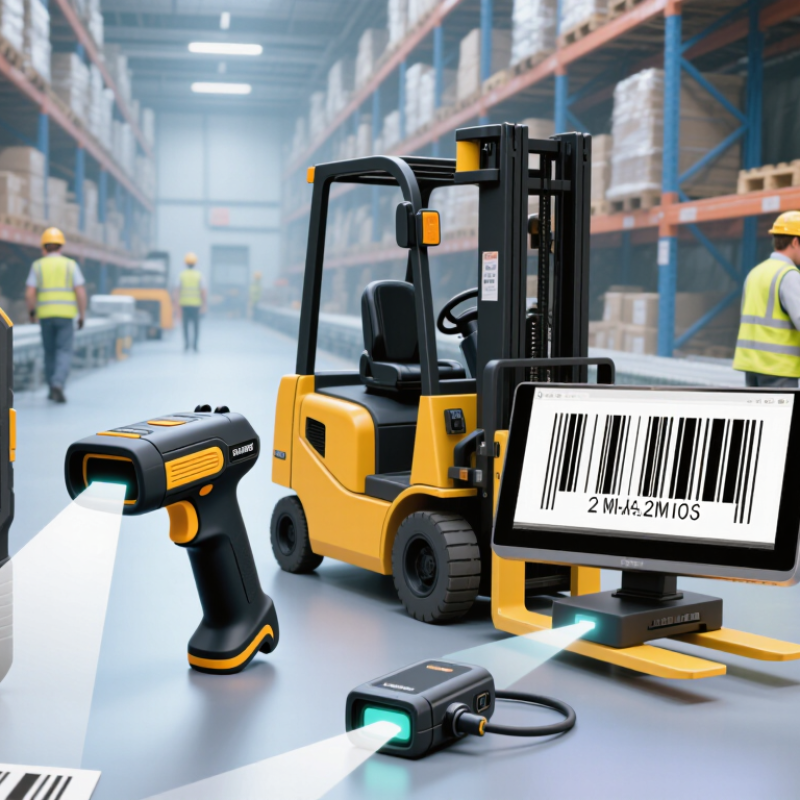
What Is a PDA Barcode Scanner and How Does It Work?
A PDA barcode scanner is a handheld computer with a barcode reader built in. It combines a display, processor, memory, battery, and wireless connection in one device. Workers can use it to identify products and record tasks at shelves, loading bays, or service counters. Unlike a basic scanner, it can run work applications and show the next instruction. It also adds weight, which becomes noticeable during a long shift.
Pressing the trigger activates a light that reflects off the barcode. A sensor captures the pattern, and decoding software converts it into readable characters. The PDA then sends that data to an application, which may check an item against records stored on the device or a server. The screen can show a product name, quantity, or storage location.
If the network drops, some systems save entries for later syncing; the exact behavior depends on configuration. That matters. A successful scan does not automatically mean the inventory record is accurate.
Good results depend on label condition, scanning distance, and operator technique. A practical workflow gives clear feedback, such as a beep or vibration, and lets workers review the displayed item before confirming.
Poor lighting or a scratched label can still cause delays. A manual-entry option helps, but it needs safeguards against typing mistakes and duplicate records. Real workflows are rarely as tidy as diagrams suggest.
Which PDA Scanner Types Are Available in 2026?
In 2026, PDA barcode scanners are available in several practical forms. Rugged handheld models combine a touchscreen, keypad, wireless connection, and built-in scanner. They suit warehouse aisles, delivery routes, and shop floors where devices may be bumped or exposed to dust. A standard 2D imager reads common barcodes, including QR codes, from paper labels and screens.
That matters.
Compact handheld PDAs offer a lighter grip for retail checks and inventory counts. Some accept a pistol grip, which can make repeated scanning more comfortable during long shifts. Wearable scanners pair a small scanning unit with a ring or wrist-worn computer. Workers can keep both hands free while picking items, though setup and training take time. Long-range models can read labels on high shelves, but performance depends on barcode size, print quality, and distance.
The scanner engine is another useful way to compare options. 1D laser engines read traditional linear codes, while 2D imagers handle both linear and matrix codes. Specialized imagers may read small or poorly printed labels, but they cannot rescue every damaged barcode. Buyers should check scan distance, battery life, screen visibility, drop resistance, and compatibility with existing inventory software. A feature list can look impressive; actual trials with the team’s labels are more revealing. No single PDA fits every workflow.
How Do Scan Engines Differ Across PDA Scanner Types?
A PDA’s shape does not determine what it can read; the scan engine does. Laser engines read one-dimensional barcodes by tracing a beam across the label. They suit clean, printed codes, but cannot read QR codes or barcodes displayed on phone screens. Two-dimensional imagers capture an area, so they can decode both 1D and 2D symbols, including codes with moderate damage. For mixed inventory, that flexibility can reduce rescans.
Range is different. Short-range engines focus on labels held close to the device. Long-range versions use different optics and aiming patterns to read shelf labels several metres away. Check the actual working distance and barcode size, not just a scanner’s advertised maximum. Small detail. Big impact. MHI’s 2024 Annual Industry Report found that 55% of surveyed organizations planned to adopt robotics and automation within five years. That points to more varied warehouse workflows, but it does not prove that every PDA needs a long-range engine. Match the engine to the task: tiny codes on parcels, distant rack labels, or screens at a counter. Test under dim lighting and at the real scanning angle. Spec sheets can look reassuring; reflective wrap often tells a less convenient story.
2026 Top PDA Barcode Scanner Types for Buyers: How Scan Engines Differ
| PDA Scanner Type | Typical Scan Engine | Barcode Support | Typical Working Distance | Performance on Screens and Damaged Labels | Best-Fit Tasks | Buyer Considerations |
|---|---|---|---|---|---|---|
| 1D laser PDA | Visible laser beam with a moving scan line and a 1D decoder. | Reads supported linear codes, such as common retail and logistics 1D symbologies. Does not read 2D matrix codes. | Varies by engine and barcode size; standard-range units are generally intended for close-to-medium distances. | Usually designed for printed labels. Laser engines typically cannot read barcodes displayed on phone or tablet screens; performance drops with poor contrast or damaged bars. | Legacy workflows using clean, printed 1D labels and a compatible software system. | Choose only if the workflow is confirmed to be 1D-only. Check whether the required barcode symbologies are supported. |
| Standard-range 2D imager PDA | Area-imaging engine that captures an image and decodes the barcode. | Typically reads supported 1D and 2D codes, including linear codes, QR Code, Data Matrix, and PDF417. | Usually suited to near and moderate distances. Actual range depends on barcode size, print quality, and engine specifications. | Can often read codes from compatible device screens and can tolerate some label damage, subject to code condition and decoder capability. | Retail, inventory, parcel handling, field service, and general-purpose scanning. | A flexible default for mixed 1D/2D workflows. Confirm screen-reading performance, symbology support, and minimum barcode size. |
| Extended-range 2D imager PDA | Long-range area imager with optics and illumination designed for scanning at greater distances. | Typically reads supported 1D and 2D codes; available distance depends on the code type, size, and contrast. | Can scan selected large, high-contrast barcodes from several metres away on suitable configurations; close-range capability varies by model. | Works best with clear, appropriately sized labels. Small or low-contrast codes may require a shorter distance and more stable aim. | High-bay storage, pallet identification, loading areas, and workflows where reaching a label is difficult. | Compare near and far focus ranges, target barcode dimensions, aiming visibility, and performance on the actual label stock. |
| Direct-part-mark (DPM) capable PDA | 2D area imager with decoding and illumination options intended for codes marked directly on a surface. | May read supported 2D codes, commonly Data Matrix, as well as supported 1D codes. DPM capability is engine- and configuration-specific. | Generally used at close range; exact working distance depends on mark size, surface, lighting, and engine configuration. | Designed to handle some low-contrast, reflective, curved, or textured marks better than a general-purpose engine, but results vary with marking method and surface condition. | Manufacturing, repair operations, and tracking parts marked by engraving, dot peening, or other direct-marking methods. | Test against the actual materials and marking processes. Verify supported code formats, illumination, focus distance, and decoder settings. |
| Compact or wearable PDA scanner | Usually a compact 2D imager; some designs use a separate ring or wearable scanner paired with a mobile computer. | Depends on the installed engine; many configurations support common 1D and 2D symbologies. | Typically close to moderate distances, depending on the scanner configuration and barcode size. | Screen reading and damaged-label performance depend on the specific engine, optics, and decoder rather than the wearable form factor. | Hands-busy picking, sorting, replenishment, and repetitive scan-and-handle tasks. | Evaluate comfort, trigger method, pairing, battery runtime, connection stability, and whether the scanner can be used with gloves. |
Buying note: Working distances and reading performance are not universal ratings. They vary by engine, barcode dimensions, symbology, print or marking quality, lighting, and device configuration. Validate shortlisted devices with representative labels and the actual scanning workflow.
Which PDA Scanner Type Fits Each Work Environment?
A PDA barcode scanner should match the work, not just the budget. In a busy warehouse, a handheld unit with a physical trigger and a bright, glove-friendly screen suits repeated scans of cartons and shelf labels. For long aisles or high racks, a pistol grip and extended-range imager can reduce awkward reaching. Zebra’s 2023 Warehousing Vision Study reported that 83% of warehouse decision-makers believed modernization was needed by 2028 to remain competitive. That pressure makes comfort and scan reliability operational concerns, not cosmetic extras.
On a loading dock, choose a rugged handheld with a sealed housing and a screen readable in direct sunlight. Cold-storage teams should check rated operating temperatures and battery performance; a scanner that stalls during a freezer round quickly becomes a bottleneck. Small retail backrooms often need a lighter PDA with a camera-based imager for mixed labels and inventory counts. For mobile picking, test whether the device stays balanced in one hand while workers carry a tote. MHI’s 2024 Annual Industry Report found that 55% of respondents planned to increase investment in supply-chain innovation. Investment alone will not fix a poor fit. Match the scanner to label distance, shift length, connectivity, and protective gear, then trial it on a real route. One detail is easy to miss: gloves can change trigger access. Test that, too.
What Should Buyers Compare Before Choosing a PDA Scanner?
2026 Top PDA Barcode Scanner Types for Buyers?
What Should Buyers Compare Before Choosing a PDA Scanner?
Compare the scanner to the work, not just its specification sheet. A receiving team may read labels from arm’s length, while shelf picking often means scanning overhead or at awkward angles. Check whether the imager reads both 1D and 2D codes, including damaged or low-contrast labels. Test it in context. A fast scan in a bright showroom proves little under warehouse glare.
The 2024 MHI Annual Industry Report found that 55% of surveyed supply chain leaders planned to increase investment in technology and innovation. That signals growing interest, not proof that a particular PDA will improve your operation. Compare scan range, trigger comfort, screen readability, battery life, drop resistance, and protection against dust and moisture. Also check Wi-Fi coverage, software compatibility, security-update support, and the cost of spare batteries or repairs. Small details matter. A device that lasts a full shift can still frustrate users if its grip causes fatigue.
Request a trial with your own labels and workflows. Measure missed reads, rescans, and time per task across several shifts. I would not over-trust a lab score; it can hide weak performance on reflective packaging or worn labels. There is no perfect configuration, and teams sometimes underestimate training time. Record those trade-offs before choosing.
PDA Barcode Scanner Types: What Buyers Should Compare
Compare typical barcode-format support before choosing a PDA scanner. A value of 1 indicates the scanner type commonly supports that format; actual support depends on the device and its software.


