What Are the Best Fingerprint Smart Locks in 2026?
Fingerprint smart locks promise a quick entry: one thumb on the reader, a quiet click, and no key to find. Yet the best model in 2026 is not simply the one with the fastest scan. It must balance dependable recognition, strong access controls, clear backup options, and practical installation. A reader can struggle with wet or dusty fingers. No sensor is flawless.
The market is growing, but market growth does not prove that every lock is secure. Grand View Research’s Smart Lock Market report valued the global market at about $2.7 billion in 2023 and projected continued growth through 2030. That broader category includes several lock types, not fingerprint models alone. It signals rising adoption, not a guarantee of quality. Security technologist Bruce Schneier’s warning is relevant: “Biometrics are not secrets.” A fingerprint is convenient, but it should not be the lock’s only meaningful safeguard.
This guide compares leading Fingerprint smart lock options by reader consistency, keypad and app controls, battery alerts, physical backup, and compatibility with common doors. We also consider what happens after repeated failed scans or a dead battery—details that glossy product pages often minimize. Some specifications are difficult to compare across brands, and laboratory claims may not match a busy household’s daily use. That matters. The right choice depends on who uses the door, how often, and what backup access is available.
How Fingerprint Smart Locks Identify and Verify Users
Fingerprint smart locks identify users by comparing a fresh scan with a biometric template created during enrollment. The sensor reads ridge endings and branching patterns, then software converts selected features into a mathematical representation. It generally compares that representation, not a simple photograph, with templates stored on the lock or in a connected system. Exact storage and encryption practices vary, so check the product’s technical documentation.
Verification happens in seconds. A user places a finger on the sensor, and the lock measures whether the scan matches an enrolled template closely enough. The match threshold matters: a very strict setting may reject a damp thumb, while a looser one can increase mistaken acceptance risk. Real conditions are messy. Dust, dry skin, small cuts, or a hurried touch can affect the reading. Some sensors also check for signs of a live finger, but this feature is not equally capable across devices.
Look for clear guidance on enrollment, data storage, and recovery if the sensor fails. A keypad or physical key can provide a practical backup, especially when cold weather leaves fingertips dry. Test several fingers during setup. That helps. Still, fingerprint matching is probabilistic, not perfect; an occasional failed scan is a useful reminder to keep another secure way inside.
Which Types of Fingerprint Smart Locks Are Available in 2026?
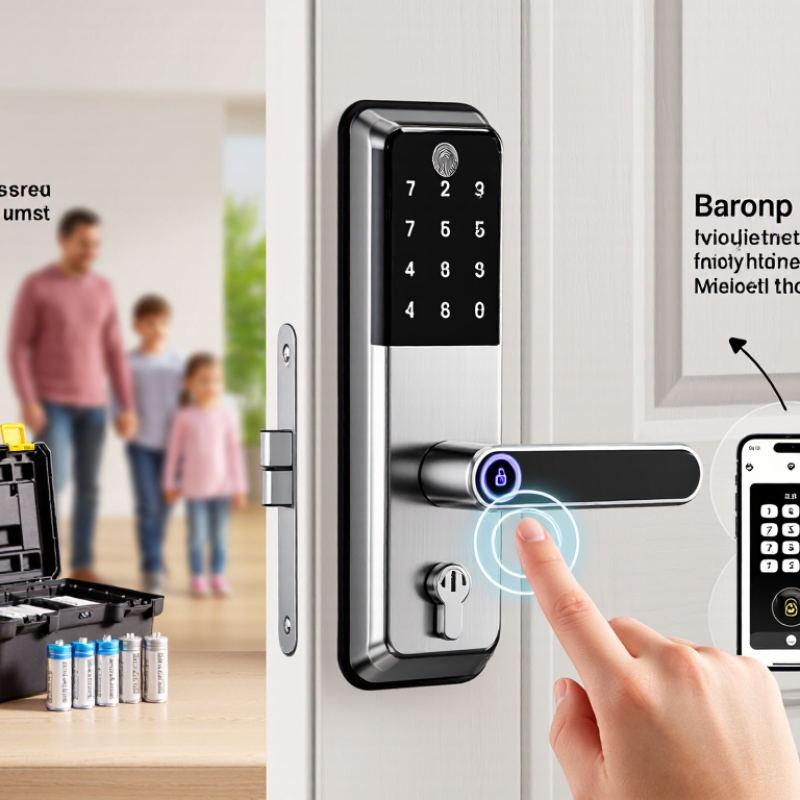
Fingerprint smart locks in 2026 generally come in several types, shaped by door design and access habits. Replacement deadbolts swap out the existing lock body and often add a keypad or phone access. They suit many standard entry doors, but check door thickness and latch measurements before buying. Retrofit models attach to the inside of an existing deadbolt, leaving the exterior key cylinder in place. Handy for renters? They may still require a separate fingerprint reader or keypad, so confirm what is included.
Lever-handle locks combine a fingerprint reader with a door handle, making them practical for doors without a separate deadbolt. Some designs are intended for interior rooms rather than main entrances. There are also fingerprint padlocks for lockers, cabinets, or gates; they are portable, but weather resistance and battery life vary. A further distinction is the sensor: capacitive readers detect details of a finger’s surface, while optical readers capture an image. Cold, wet, or worn fingertips can affect either type. Not every scan works. Many locks therefore offer a PIN, key, or app as a backup. Compare these options with the door itself, the people who will use it, and the access method you can rely on when the battery runs low.
What Features Define the Best Fingerprint Smart Locks?
The best fingerprint smart locks make access quick without treating convenience as the only measure of quality. A reliable sensor should read a finger consistently, even when hands are slightly dry or the weather is cool. Look for clear enrollment instructions and enough user profiles for everyone who needs access. Setup should not feel like guesswork.
Small details matter. Fast recognition does. The lock should offer a practical backup, such as a keypad or physical key, for a drained battery or an unreadable fingerprint. Check how it signals low power, and whether its batteries can be replaced from indoors. A phone app can help manage access, but basic entry should not depend on a strong internet connection. Also review what access records are stored and how they can be deleted.
Installation and construction deserve equal attention. A sturdy deadbolt, a well-fitting strike plate, and a sensor placed at a comfortable height affect daily use. For an exterior door, check the stated temperature and moisture ratings rather than assuming every “smart” lock suits outdoor conditions. Test several fingerprints during setup, including a thumb and an index finger. No sensor is perfect; I would keep a backup method available, even after weeks of smooth use. A lock that is simple to operate when carrying groceries may matter more than a long feature list.
How the Leading Fingerprint Smart Locks of 2026 Compare
The strongest fingerprint smart locks in 2026 balance quick entry with dependable backup options. A sensor should recognize a clean, dry finger without repeated attempts, yet performance can change with cold skin, moisture, or worn fingerprints. That matters when you are carrying groceries at the door. Speed alone is not enough.
Compare how each lock stores fingerprint data, manages users, and works when the battery runs low. Prefer clear, locally stored access controls and a low-battery warning you can actually notice. A keypad or physical key can provide a useful fallback. Check whether remote features require an ongoing internet connection; convenience may come with extra setup and privacy trade-offs.
Installation is another real-world test. Measure your door thickness and check the latch before choosing a model, since fit affects daily use. Some locks offer detailed access logs, while simpler models may be easier to manage. Neither is automatically better. Published specifications help, but they cannot predict every household’s experience. I would also want repeated tests with different fingers before trusting any speed claim.
How to Choose a Fingerprint Smart Lock for Your Door
A fingerprint smart lock should fit the door before it impresses you with features. Measure the door thickness, backset, and existing borehole, then check the lock’s stated compatibility. A keypad and physical key can help when wet fingers, gloves, or a dead battery interrupt scanning. Test the fingerprint reader with several household members, not just one clean, dry thumb. Small details matter.
Check how the lock handles failed scans, low batteries, and account recovery. A clear warning and a dependable backup method are more useful than a crowded app menu. Verizon’s 2024 Data Breach Investigations Report found that 68% of breaches involved a non-malicious human element. That figure is not specific to smart locks, but it supports choosing strong account protections, unique credentials, and secure recovery settings. NIST’s Digital Identity Guidelines also caution that biometrics should not stand alone as an authenticator; consider a lock that offers another access method.
Review the installation guide and security update policy before buying. Confirm whether remote access requires a hub, internet connection, or subscription, and ask how long software support is expected to last. If possible, try the keypad and scanner in person. A fingerprint reader may feel effortless in a showroom, then frustrate you with cold or damp hands. I’d prioritize reliable everyday access over extra features, though this trade-off is easy to underestimate.