How to Choose the Best UV Digital Printing Machine?
Choosing a UV Digital Printing Machine is not just a speed comparison. It is a production decision. The right model must handle your actual substrates, order sizes, and finishing workflow. A glossy sample on acrylic can look impressive, but it says little about daily registration, curing consistency, or maintenance downtime. Small details matter.
Industry reports offer useful context, but not a buying shortcut. MarketsandMarkets’ UV Curable Inks Market report forecast growth from about US$1.7 billion in 2022 to US$3.0 billion by 2027. That forecast concerns inks, not printer sales; it signals expanding interest in UV-curable applications, not guaranteed demand for any machine. Smithers’ The Future of Digital Printing to 2032 provides broader market analysis. For buyers, the practical question remains: will local customers pay for the jobs this equipment can produce? Print-industry analyst Sean Smyth’s work at Smithers underscores the value of matching technology investment to market demand. A concise buying principle, reflecting that perspective, is: “Choose for repeatable customer work, not a showroom demonstration.” Treat it as a decision rule, not a verbatim quotation. It is easy to overvalue peak speed. Less glamorous factors—ink cost, operator training, service access, and substrate handling—can shape the real return. The sections ahead examine print quality, bed size, throughput, software, support, and total cost. A little doubt is healthy. Specifications rarely tell the whole story.
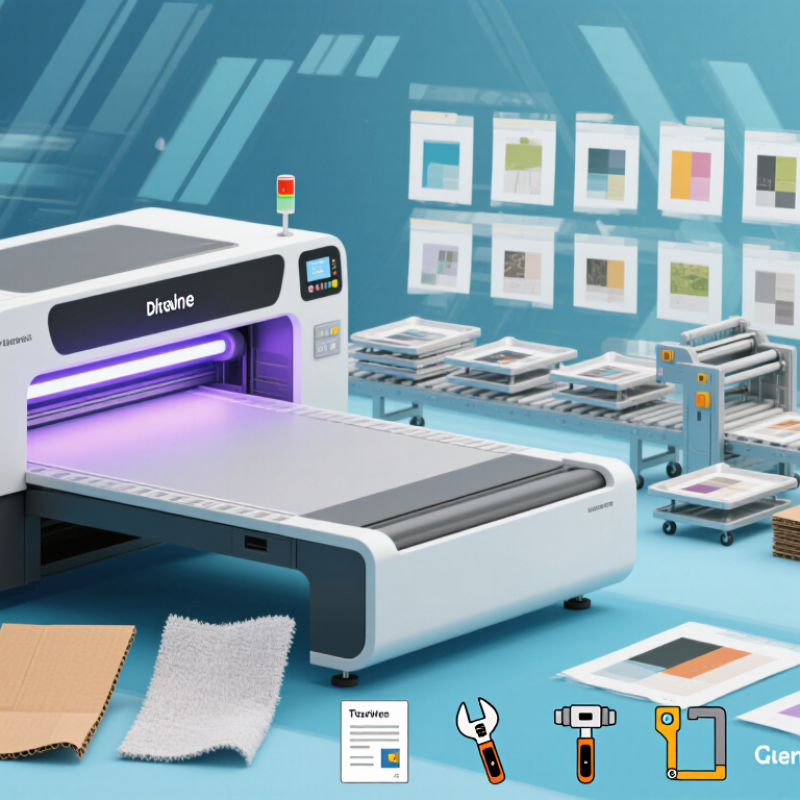
Define Your Printing Needs and Intended Applications
Before comparing machines, list the items you actually print, not products you might print someday. Record each substrate, maximum dimensions, thickness, surface texture, and weekly quantity. Acrylic signs, coated wood panels, and curved bottles place different demands on a printer. Be specific. If most jobs are small batches of flat panels, a large roll-fed system may add cost without improving daily work.
Map how files move from design to finished product, including loading, alignment, curing, and inspection. Check the machine’s print area and maximum object height against your largest regular job, leaving room for safe handling. White ink can help print on dark or transparent materials, while clear varnish can create selective gloss effects. Ask for a demonstration using your actual material, not only a polished sample. Bring samples. Look closely at edge definition, color consistency, adhesion after curing, and any surface marks.
Estimate daily output realistically, including setup and cleaning time; advertised speed may not reflect a mixed-workday schedule. Consider available floor space, operator experience, maintenance access, and the manufacturer’s operating instructions. It is easy to focus on image quality and overlook awkward loading or frequent changeovers. That detail matters. Keep a record of the jobs you expect to run, then question whether each machine feature solves a real production need.
Compare UV Printer Types, Configurations, and Substrate Compatibility
Choosing a UV digital printing machine begins with the shapes and sizes you print most. A flatbed handles rigid items such as panels, signs, and small product parts. A roll-to-roll model suits flexible media, including film and banner material. Hybrid machines accept both, but switching jobs may take time. That matters. Compare usable print width, maximum object height, and loading space—not just the headline speed.
Configuration affects results, too. Multiple printheads can support faster output or layered effects, depending on the setup. White ink helps print on dark or transparent surfaces, while clear ink can add selective gloss. For bottles or other curved objects, check whether a rotary attachment is available and how quickly it can be fitted. Ask to print a sample using your own artwork and material.
Substrate compatibility is never guaranteed by a material name alone. Glass may need cleaning and a suitable primer; some plastics can warp or resist ink adhesion. Wood varies with its coating and surface texture. Test curing, color, and adhesion on the exact stock you plan to use. Results can be uneven. I would also check whether the machine’s bed, fixtures, and ink workflow fit your daily jobs; a versatile setup can feel awkward when changeovers are frequent.
Evaluate Print Quality, Speed, Size, and Essential Features
A UV digital printing machine should be judged by the finished print, not a resolution figure alone. Request a sample using your own artwork and material. Inspect small text, gradients, solid colors, and fine edges under normal lighting. Look for banding, blurred details, or uneven gloss. Run a test. A single attractive sample is useful, but repeat prints reveal consistency.
Compare practical output speed, including setup, curing, and handling—not just the fastest mode listed. A slower, higher-quality setting may suit short runs, while repeated jobs may need a faster production mode. Ask how print speed changes with white ink or varnish. Those features can add steps. Check the usable print area and maximum object height against the items you actually produce. Measure twice. A large bed is less helpful if fixtures block the edges.
Essential features depend on your materials and workflow. White ink can support printing on dark or clear surfaces; varnish can add selective gloss or texture. Confirm that the machine handles your substrates and that its software supports your file types and color workflow. Review routine tasks, such as cleaning printheads and replacing consumables, before buying. Maintenance is easy to underestimate. I would also leave room in the budget for training and test materials; the initial estimate rarely captures every adjustment.
Assess Total Ownership Costs, Support, and Supplier Reliability
How to Choose the Best UV Digital Printing Machine?
Assess Total Ownership Costs, Support, and Supplier Reliability
A machine’s purchase price is only one part of its cost. Estimate ink use, printhead replacement, lamp maintenance, cleaning supplies, and routine servicing over several years. Ask suppliers for a written estimate based on your expected print volume and materials. Then compare it with your own jobs, not just a showroom sample. Small costs add up.
Downtime matters, too. A blocked printhead or delayed spare part can leave urgent work waiting. Ask how quickly technical support usually responds, which parts are stocked locally, and what training comes with installation. Request clear warranty terms, including what is excluded. Get those details in writing. A confident sales call is not a service plan.
Supplier reliability takes checking. Speak with customers who run similar workloads, and ask how support handled a real fault. Notice whether the supplier explains maintenance plainly or avoids difficult questions. This is not foolproof; one customer’s experience may not match yours. Still, specific examples are more useful than broad promises. I would also check whether the proposed machine fits your space, power supply, and operator skills before signing. It is easy to overlook these basics when a sample print looks excellent.
Verify Performance with Samples and Plan Installation Requirements
A polished sample can look convincing, but it may not reflect daily production. Ask for test prints on the materials you actually plan to use, such as acrylic, coated wood, or rigid panels. Supply a representative file with fine text, gradients, solid colors, and small line details. Keep the test honest. Request the print settings, curing process, and estimated output speed alongside each sample. Then inspect the result in normal room lighting, not only under showroom lights. Check color consistency, edge sharpness, surface adhesion, and whether small details remain readable. A single perfect sheet proves little; several prints reveal variation. I would also compare a demanding design with a simple one. That extra step can expose weak spots before purchase.
Installation planning deserves the same attention as print quality. Measure the machine, doorways, loading route, and turning space before delivery. Include room for operators to open covers and load media safely. Check the required electrical supply, floor stability, working temperature, and ventilation against the equipment specifications. Measure twice. A machine can fit on paper and still be awkward to service. Ask who handles unloading, setup, calibration, and operator training, and confirm these details in writing. Leave space for materials and routine cleaning supplies. It is easy to underestimate that storage area. Finally, arrange a test run at the intended site, if possible, so power, workflow, and print results can be checked before regular production begins.
How to Choose the Best UV Digital Printing Machine?
Compare printed samples before choosing. The example scores below use a 1–5 scale and are illustrative only; score your own test prints on the materials and settings you plan to use.
Score key: 1 = poor, 5 = excellent. Test color match, fine-detail reproduction, adhesion, curing, and performance on your intended substrates. Before installation, confirm the machine’s footprint and service clearances, doorway access, floor capacity, electrical supply, and ventilation against its technical documentation.