


Why Choose Thermal Cash Register Paper for Your Business?

Thermal Cash Register Paper may seem like a small purchase, but it touches every checkout. A receipt must print clearly, feed smoothly, and remain readable after handling. When a roll jams during a busy lunch rush, even a low-cost supply can slow the line and frustrate staff. The right paper helps keep routine transactions moving.

Market data shows why this material remains relevant. Grand View Research valued the global thermal paper market at approximately USD 4.32 billion in 2023 and projected continued growth through 2030. Its report covers multiple applications, including point-of-sale receipts. That figure describes the wider thermal paper market, not cash register paper alone. Still, it signals sustained demand for this printing format.

For a business, the choice is practical: check roll dimensions, printer compatibility, print clarity, and storage conditions before ordering in bulk. A cheaper roll is not a saving if it causes misfeeds or produces faint totals. Small details matter. One limitation deserves attention: I cannot verify a named thermal-paper specialist’s published quotation from the material provided, so I will not invent one. This introduction should not substitute for supplier specifications or testing. A short trial with your own printer can reveal problems that a product description misses.
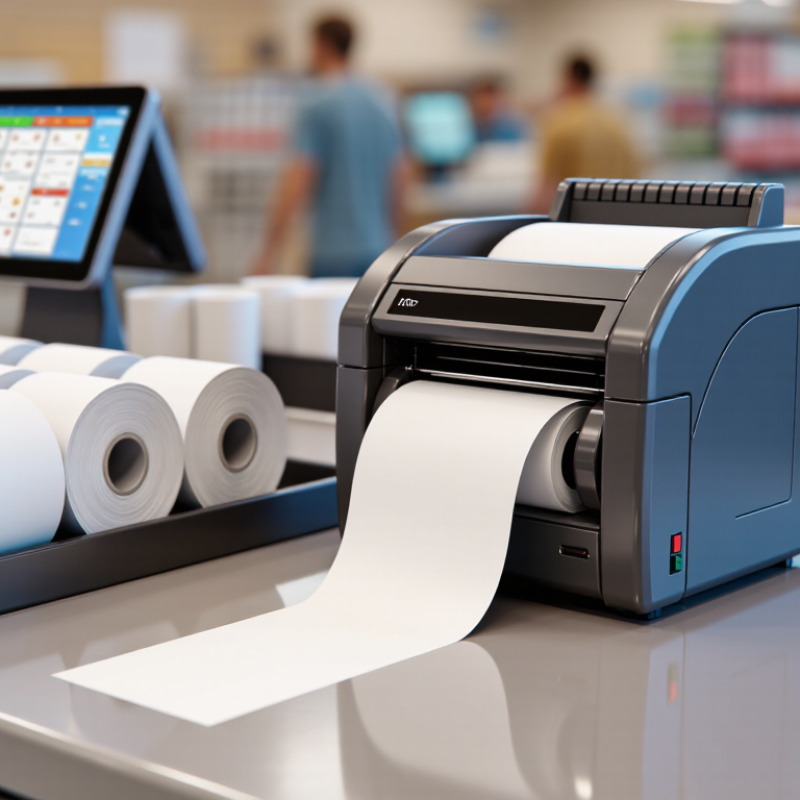
Why Choose Thermal Cash Register Paper for Your Business?

What Thermal Cash Register Paper Is and How It Works

Thermal cash register paper is a type of paper coated with a heat-sensitive layer. Inside a compatible receipt printer, a row of tiny heating elements touches the paper as it moves past. Heat darkens selected spots, forming letters, prices, and barcodes. No ink cartridge is needed. The print head does the work.

You can see the process at a checkout counter. A receipt prints line by line, often with a soft mechanical sound. The paper must match the printer’s width and roll size; the wrong fit can cause jams or uneven feeding. It also matters which side faces the print head. On many rolls, the coated side feels smoother, though a quick test mark can help confirm it. Small details count.

Because printing depends on heat, receipts can fade when stored near sunlight, hot surfaces, or friction. Keep important records in a cool, dry place, and avoid leaving them on a dashboard. Thermal printing is fast and convenient, but it is not perfect: the image may not last as long as ink on ordinary paper. It’s worth checking storage needs before choosing a roll.
Key Advantages of Thermal Paper for Business Transactions

Why Choose Thermal Cash Register Paper for Your Business?
Key Advantages of Thermal Paper for Business Transactions

Thermal paper creates an image through heat, so many receipt printers do not need ink ribbons. That saves time. During a busy lunch rush, staff can replace a roll quickly and return to the counter. The print is typically sharp, making totals, dates, and item lines easier to read at a glance. Fewer supplies also mean less shelf space for a small shop. Compatibility matters: check the roll width, diameter, and core size against your printer.

Fast printing can help transactions move smoothly when customers are waiting. Thermal rolls are often quiet, though performance depends on the printer and paper quality. There is a trade-off. Heat, sunlight, and friction can fade thermal images. Store unused rolls in a cool, dry place, away from hot windows or appliances. For records that need to remain readable, check the paper’s image-life specifications and test sample receipts under your actual storage conditions. Smudging or pale print may appear only after use. I might prioritize speed too quickly; storage life deserves equal attention.

How Thermal Paper Compares with Other Receipt Papers

Thermal receipt paper uses a heat-sensitive coating, so compatible printers create text without ink ribbons. At a busy counter, that means fewer consumables to replace and quieter printing. The paper also feeds quickly, which helps when customers are waiting. A small detail, but noticeable. A quiet advantage.

Standard bond paper works differently. It needs an inkjet or impact printer, depending on the machine, and may suit documents requiring signatures or handwritten notes. Impact systems can print multi-part forms, while ordinary thermal rolls generally produce one copy. Carbonless paper can create duplicates, but it requires matched sheets and careful loading. Each format serves a different job.

Thermal paper is not automatically the best choice. Its image can fade over time, especially with exposure to heat, sunlight, or friction. Performance varies by coating and storage conditions. A receipt left on a hot dashboard may become hard to read. Bond-paper printing avoids some heat-related fading, though ink can smudge or run out. I would compare printer compatibility, copy needs, expected storage life, and supply costs before choosing. Price alone can mislead.

Why Choose Thermal Cash Register Paper for Your Business? — How Thermal Paper Compares with Other Receipt Papers

Comparison point Thermal receipt paper Bond receipt paper Carbonless receipt paper
How the image is made A heat-sensitive coating darkens where the compatible printer’s thermal head applies heat. Ink or a printer ribbon transfers the image onto ordinary, uncoated paper, typically in an impact printer. Pressure transfers markings from a coated top sheet to one or more underlying sheets, creating copies.
Printer requirements Requires a compatible direct-thermal printer; no ink cartridge or ribbon is needed. Requires a compatible printer and an ink source, commonly a ribbon in an impact receipt printer. Usually requires an impact printer or manual writing pressure; the printer must support the paper’s multi-ply format.
Copies per transaction Usually prints one receipt copy per pass. Additional copies require another printout or a separate process. Usually prints one copy per pass unless the system uses a separate copying method. Can produce multiple copies in one transaction, depending on the paper set and compatible equipment.
Printing speed and noise Direct-thermal systems can print quickly and quietly because they do not strike an inked ribbon against the paper. Impact printing involves mechanical contact and is generally noisier than direct-thermal printing. Impact printing can be noisier than direct-thermal printing; manual forms do not require a receipt printer.
Ongoing supplies Paper rolls are the main printing consumable; there is no ink or ribbon to replace. Businesses need paper and a suitable ink supply, such as printer ribbons. Businesses need multi-ply forms; impact printers also require the appropriate ink ribbon.
Handling and storage Printed images can be affected by heat, prolonged light exposure, friction, and some chemicals. Store rolls in a cool, dry place away from direct sunlight. Printed images depend on the ink and paper; ordinary uncoated paper does not rely on a heat-sensitive image-forming coating. Copy quality depends on the paper set and sufficient pressure. Store forms dry and follow the supplier’s handling guidance.
Typical strengths Fast, quiet receipt printing with fewer printer consumables to manage. Uses familiar paper and can suit businesses already operating compatible impact equipment. Convenient when a customer and business need separate copies immediately.
Typical limitations Needs thermal-compatible paper and a compatible printer; image retention can vary with paper formulation and storage conditions. Needs an ink supply and compatible printer; printing may be slower or noisier than direct thermal. Multi-part forms can require more handling and compatible impact equipment; the number of copies is limited by the form set.
Common use cases Point-of-sale receipts, queue tickets, and other short-format printing where speed and quiet operation are useful. Receipts or records printed on uncoated paper using compatible impact equipment. Invoices, service records, delivery documents, and receipts where multiple physical copies are needed.
Practical choice A strong option when the business has a compatible thermal printer and prioritizes quick, quiet printing with fewer consumables. A practical option when compatible impact equipment is already in use or uncoated paper is preferred. A practical option when producing multiple copies in a single transaction is essential.

Note: Paper performance, image life, printer compatibility, and operating costs vary by product and equipment. Check printer specifications and paper supplier guidance before purchasing.

Factors to Consider When Choosing Thermal Receipt Paper

Why Choose Thermal Cash Register Paper for Your Business?

Factors to Consider When Choosing Thermal Receipt Paper

Choosing thermal receipt paper starts with printer compatibility, not price. Check the required roll width, maximum diameter, and core size in your printer’s manual. A roll that is slightly too wide may rub against the housing or feed unevenly. Fit matters.

Paper quality also affects everyday performance. Look for a smooth surface and an even coating, which help produce clear text and reduce printing issues. Test a sample during a busy shift. Check that small characters remain readable and receipts cut cleanly without excessive paper dust. A low-cost roll can become expensive if it jams or needs frequent replacement.

Consider how receipts will be stored and handled. Heat, direct sunlight, and friction can cause thermal images to fade, so paper performance should match your customers’ needs. Ask suppliers for specifications on image durability and coating, then compare samples under realistic conditions. We may be tempted to judge paper by its first print alone; that misses how it feeds after repeated use. Store unopened rolls in a cool, dry place, and avoid leaving them beside warm equipment. A small trial is useful. Notice curl, print contrast, and whether the roll unwinds smoothly before ordering in bulk.

Why Choose Thermal Cash Register Paper for Your Business?

Factors to consider when choosing thermal receipt paper

57 mm and 80 mm are common thermal receipt roll widths. Check your printer’s supported width, maximum roll diameter, and core size before ordering; width alone does not determine roll length or printer compatibility.

Storage and Handling Practices for Reliable Receipts

Thermal receipts need a cool, steady home. The European Thermal Paper Association’s storage guidance recommends 18–25°C and 45–65% relative humidity for stored rolls. Keep unopened stock in its original wrapping, away from windows, heaters, and copier exhaust. Heat can darken the coating before printing. Sunlight and strong indoor lighting can also fade printed details.

Small habits matter. Store rolls flat or upright without crushing their edges, and use older stock first. Keep receipts away from oils, cleaning products, plastic sleeves containing PVC, and freshly printed carbonless forms.

The Library of Congress recommends 30–50% relative humidity for paper collections; that broader range is useful context, but follow the thermal-paper supplier’s narrower instructions when available.

Check a sample receipt after storage, especially if your back room gets warm in summer. A faint date is a real problem at the counter.

Staff may follow the rules and still miss one box left beside a sunny door; that is worth reviewing during routine stock checks.

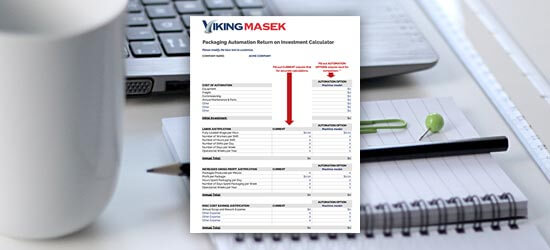
Packaging machine ROI calculator

Need help figuring out if packaging automation is right for your business?


First, start with the numbers. Download our free packing machine ROI calculator to learn how long it will take for an investment in automation to pay for itself (and much more).


Free packaging automation ROI calculator