


How to Choose the Right Dashboard Instrument?
Choosing the right Dashboard Instrument starts with understanding what you need to monitor. A gauge should make important information easy to read, not add clutter to the dashboard. Consider the vehicle, the intended use, and the conditions in which you drive. A classic car, a work truck, and a track-focused vehicle may need different readings.
Begin with the measurement that matters most. An oil-pressure gauge can help reveal changes that a warning light may not show in detail. A temperature gauge gives a clearer view of engine heat during long climbs or heavy traffic. Yet more instruments do not automatically mean better monitoring. Choose readings that support a real decision.
Compatibility is essential. Check the instrument’s range, sensor type, power requirements, and mounting dimensions against the vehicle’s specifications. A mismatch can produce unreliable readings or make installation difficult. Small details matter. If you are unsure about wiring or sensor fit, consult the manufacturer’s instructions or a qualified technician rather than guessing.
Readability deserves equal attention. Check the dial in bright daylight and at night, and consider whether its markings are clear from your normal driving position. Think about display style, lighting, durability, and the space available on the dash. There is no single best choice for every driver. I would avoid choosing by appearance alone; a polished face is of little use if the scale is hard to interpret. The right instrument combines accurate, compatible readings with a display you can understand at a glance.
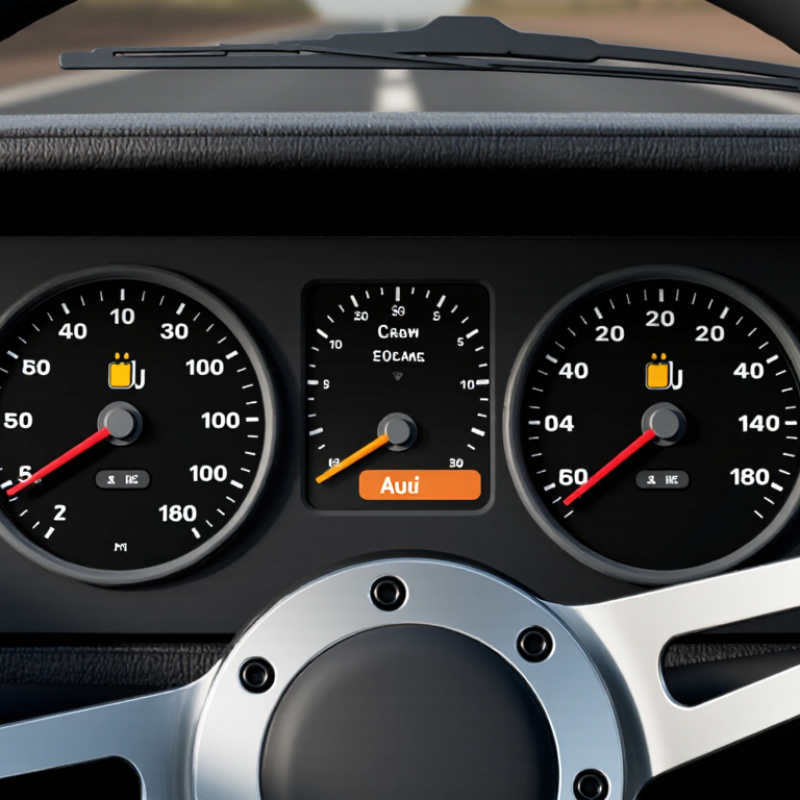
Identify the Information You Need to Monitor
A useful dashboard starts with a decision, not a screen full of numbers. Ask what you need to notice, how quickly you must respond, and who will act. A warehouse supervisor may need late orders, picking errors, and staffing gaps before each shift. A finance lead may need cash runway and overdue invoices each morning. Match each measure to a real action. If no one would change a decision after seeing it, leave it off.
The 2023 Big Data and AI Executive Survey of Fortune 1000 leaders found that 91.7% reported ongoing investment in data and AI, while 24.4% said their organizations had established data-driven operations. That gap is a reminder: more metrics do not automatically mean better decisions. Track a small set of indicators, define each one clearly, and show its update time. Put urgent exceptions near the top; keep slower trends in a separate view. Keep it legible. A red alert beside a timestamp from yesterday can mislead more than help. It is tempting to monitor everything, and teams sometimes do. Review the dashboard with its users, remove measures nobody acts on, and admit when a metric is only a rough proxy.

Compare the Main Types of Dashboard Instruments
Analog instruments use physical needles and clearly marked scales. They suit drivers who prefer a quick glance at speed or engine temperature. A needle’s position is easy to read, even in bright daylight, though small markings can be difficult to see.
Digital displays show exact figures and can change layouts. They may offer clearer alerts, but dense screens can demand more attention than a simple dial.
Hybrid instruments combine both approaches, often pairing a speedometer with a small screen for fuel range or warnings. They can balance familiarity and detail, but poorly arranged information may feel cluttered.
Multifunction displays can show navigation, trip data, and vehicle status in one place. That flexibility is useful on longer drives, yet menus and animations should not distract from essential readings.
No format is automatically best; consider eyesight, lighting, driving habits, and how quickly you can find key information. I once assumed more data meant better visibility. It did not.
Tips: Check the display from your normal seating position, in daylight and at night. Look for clear warning icons and adjustable brightness. If you need several taps to find basic information, reconsider that layout.
Assess Readability, Accuracy, and Display Format
Choosing a dashboard instrument starts with a quick-glance test. Can a driver read it without leaning closer or searching for the key value? The 2013 NHTSA Visual-Manual Driver Distraction Guidelines recommend keeping individual glances at secondary tasks to two seconds or less, and total glance time to 12 seconds or less. These are design benchmarks, not instrument-specific legal limits. Still, they highlight why clear labels, strong contrast, and a stable pointer matter.
Accuracy needs more than a precise-looking scale. Compare readings with a calibrated reference across the instrument’s full operating range, including expected vibration and temperature changes. Check stated error tolerance, response time, and unit markings. A digital display can show exact numbers, but frequent updates may distract; an analog dial can reveal trends, though crowded ticks slow reading. The right format depends on what must be noticed first. Small detail, big consequence.
Display format should match the task and viewing conditions. Test the instrument in daylight, at night, and from the actual seated position. Look for glare on the lens, washed-out digits, and labels hidden by the steering wheel. NHTSA’s glance-time guidance comes from research on visual-manual tasks, so applying it to gauges takes judgment. I would not treat a clean bench test as proof of easy use; real cabins are messier.
How to Choose the Right Dashboard Instrument
Suggested weighting for comparing instruments by readability, accuracy, and display format. These percentages are a decision-making guide, not measured product data.
How to use it: Prioritize accuracy for critical measurements, then check that readings are easy to interpret at a glance. Choose a numeric, gauge, or bar display that suits the information and viewing conditions.
Check Vehicle Compatibility and Installation Requirements
Before selecting a dashboard instrument, check that it matches your vehicle’s electrical system and display requirements. Compare its operating voltage, signal type, and sensor connections with the vehicle manual or existing instrument specifications. A gauge that fits the opening may still read incorrectly if it expects a different signal. Measure twice. Check the available panel diameter and the space behind it, including room for connectors and wiring. Small details matter.
Review the installation steps before buying. Some instruments need a dedicated sensor, a compatible wiring harness, or a secure ground connection. Confirm where power should be taken from, and use the specified fuse rating. Never route wires across pedals or moving parts. Check that the instrument will not block the driver’s view or interfere with airbag areas. It is easy to assume the old opening guarantees a simple swap, but trim depth and connector placement can make that assumption wrong. If the wiring diagram is unclear, ask a qualified technician to inspect the setup before modifying the dashboard.
Evaluate Durability, Safety, and Regulatory Compliance
How to Choose the Right Dashboard Instrument?
A dashboard instrument must stay readable and dependable through years of heat, vibration, and daily use. Check its stated operating temperature, resistance to moisture, and vibration-test results. A unit that works on a clean workbench may behave differently beside a hot engine or on a rough road. Small details matter. Look closely at connector security, lens clarity, and whether labels remain legible after repeated cleaning.
Safety depends on more than a clear display. Important readings and warning lights should be easy to distinguish in bright daylight and at night. Ask how the instrument responds to a sensor fault, unstable power, or a failed connection. Does it show an error, freeze at a believable value, or go blank? That answer can change how a driver reacts. A specification sheet may not reveal every weakness, so test the instrument in a representative installation when possible.
Regulatory compliance varies with the vehicle, application, and sales market. Confirm which requirements apply, then request current test reports, calibration details, and traceable documentation. Where relevant, review electrical safety and electromagnetic compatibility evidence with a qualified engineer. Do not treat a supplier’s general claim as proof for every configuration. Paperwork can be incomplete; ask direct questions and record the answers. A careful review now may prevent costly rework later.
How to Choose the Right Dashboard Instrument? — Evaluate Durability, Safety, and Regulatory Compliance
| Instrument Type | Durability Considerations | Safety Evaluation | Regulatory and Standards Checks | Best-Fit Use | Evidence to Request or Test |
|---|---|---|---|---|---|
| Electromechanical analog gauge | Moving components can be affected by vibration, shock, and wear. Check the specified operating-temperature range, vibration tolerance, sealing, and expected service life. | Assess scale legibility, pointer visibility, illumination, and whether the indicated value remains readable across expected viewing angles and lighting conditions. | For road vehicles, check applicable local rules for required displays and telltales. UNECE Regulation No. 121 covers the identification, location, and illumination of controls, tell-tales, and indicators in vehicles within its scope. | Simple, dedicated readings where a stable visual scale is useful. | Environmental test reports, readability assessments, calibration data, and confirmation of applicable vehicle requirements. |
| LCD digital display | Performance depends on the display technology and design. Verify operation at the full temperature range, resistance to vibration, moisture protection, and long-term backlight performance. | Check contrast, glare, viewing angle, character size, and whether critical information remains distinguishable in bright sunlight and at night. | Confirm that the displayed information and any warning indicators meet the rules applicable to the vehicle type and sales region. A display component alone does not establish vehicle-level compliance. | Numerical readings and configurable information where clear, direct values are preferred. | Temperature and vibration test results, sunlight-readability measurements, brightness-control behavior, and display-fault diagnostics. |
| OLED or other emissive display | Check temperature limits, moisture and UV protection, and aging characteristics. Static content can contribute to uneven aging or image retention, depending on the display and usage conditions. | Evaluate night-time brightness, dimming range, glare, and the visibility of safety-critical information when the display is partially degraded or has a fault. | Verify regional requirements for warning symbols, colors, and display behavior. Assess the complete instrument system against the relevant vehicle regulations and safety requirements. | Rich graphics and layouts that need flexible presentation, provided lifetime and environmental limits are suitable. | Accelerated-aging data, image-retention testing, environmental qualification, fault-response tests, and readability results. |
| LED telltale or warning indicator | Solid-state construction avoids a moving pointer, but reliability still depends on the LED, driver electronics, thermal design, connectors, and protection from moisture and vibration. | Confirm that each warning is recognizable, correctly colored where required, sufficiently bright, and not confused with nearby indicators. Test detection of failed lamps or circuits where required. | Check applicable vehicle rules for telltale symbols, colors, placement, and illumination. UNECE Regulation No. 121 is one relevant reference for vehicles within its scope; local requirements may differ. | Dedicated status and warning messages that should be noticed quickly. | Photometric and color data, symbol review, circuit-fault testing, and environmental qualification records. |
| Multifunction instrument cluster | Evaluate the display, processor, power supply, software, connectors, and housing as one system. Check vibration, temperature cycling, electrical transients, and moisture protection. | Prioritize essential warnings, limit distraction, and define safe behavior for startup, communication loss, software faults, and display failure. Apply a risk-based safety process where required. | For road-vehicle electronic systems, ISO 26262 provides a functional-safety framework; its applicability and required activities depend on the system and project. Also check relevant vehicle regulations in each target market. | Vehicles needing several readings, status messages, and warnings in a single integrated interface. | System-level environmental reports, software and safety documentation, hazard analysis, diagnostic coverage evidence, and market-specific compliance records. |
Selection note: Requirements vary by vehicle category, jurisdiction, installation, and intended use. Treat standards references as starting points, and confirm current applicability with qualified compliance and safety specialists before production.


